
EVOLVE Reports | Advanced Report & Staff Moderation System
⚡ EVOLVE Reports
Advanced FiveM Report & Staff Moderation System
Give your players a better support experience and your staff a faster way to handle reports.
EVOLVE Reports is a complete FiveM report, ticket, and moderation system featuring real-time player-to-staff communication, integrated admin tools, ticket management, analytics, Discord logging, multiple UI themes, and extensive configuration.
Built for ESX, QBCore, Qbox, and Standalone servers.
🚀 Key Features
- 📨 Advanced Player Report Portal
- 🛡️ Dedicated Staff Moderation Dashboard
- 💬 Real-Time Player ↔ Staff Chat
- 🔒 Ticket Claiming & Assignment System
- 👁️ Built-In Spectate Mode
- 📍 Teleport / Bring / Return System
- ❄️ Freeze / Unfreeze
- ❤️ Heal & Armor Actions
- 🚫 Kick Player Functionality
- 📝 Private Staff Notes
- ⚡ Quick / Canned Responses
- ⭐ Player Satisfaction Ratings
- 📊 Staff Analytics & Leaderboard
- 🌐 Discord Webhook Logging
- 🎥 Streamer Mode
- 🖥️ Performance Mode
- 🎨 9 Built-In UI Themes
- 🌍 Multi-Language Support
- ⚙️ Extensive Configuration
- 🔧 ESX / QBCore / Qbox / Standalone Support
📨 Player Report System
Players can open the report interface using:
/report
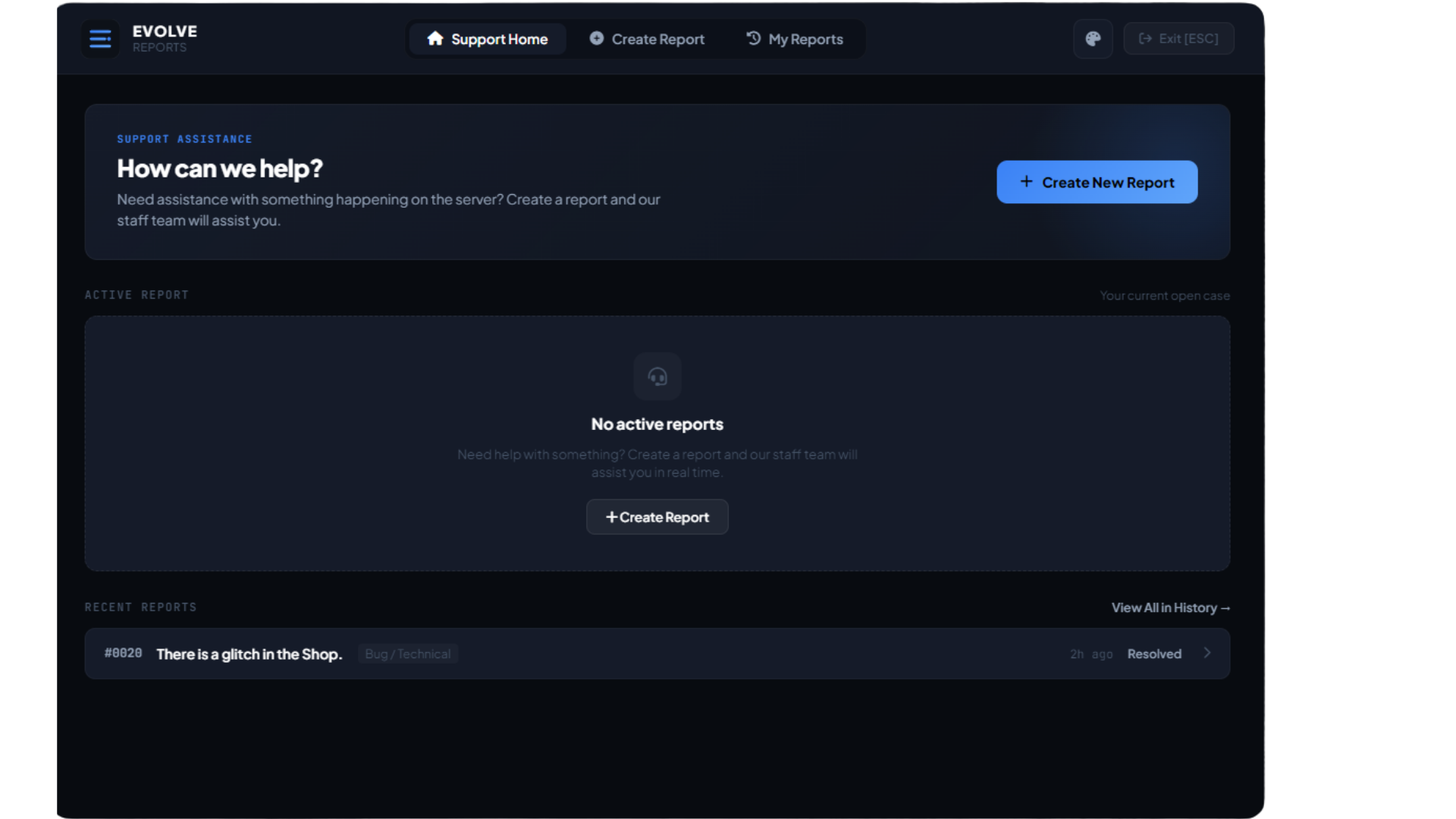
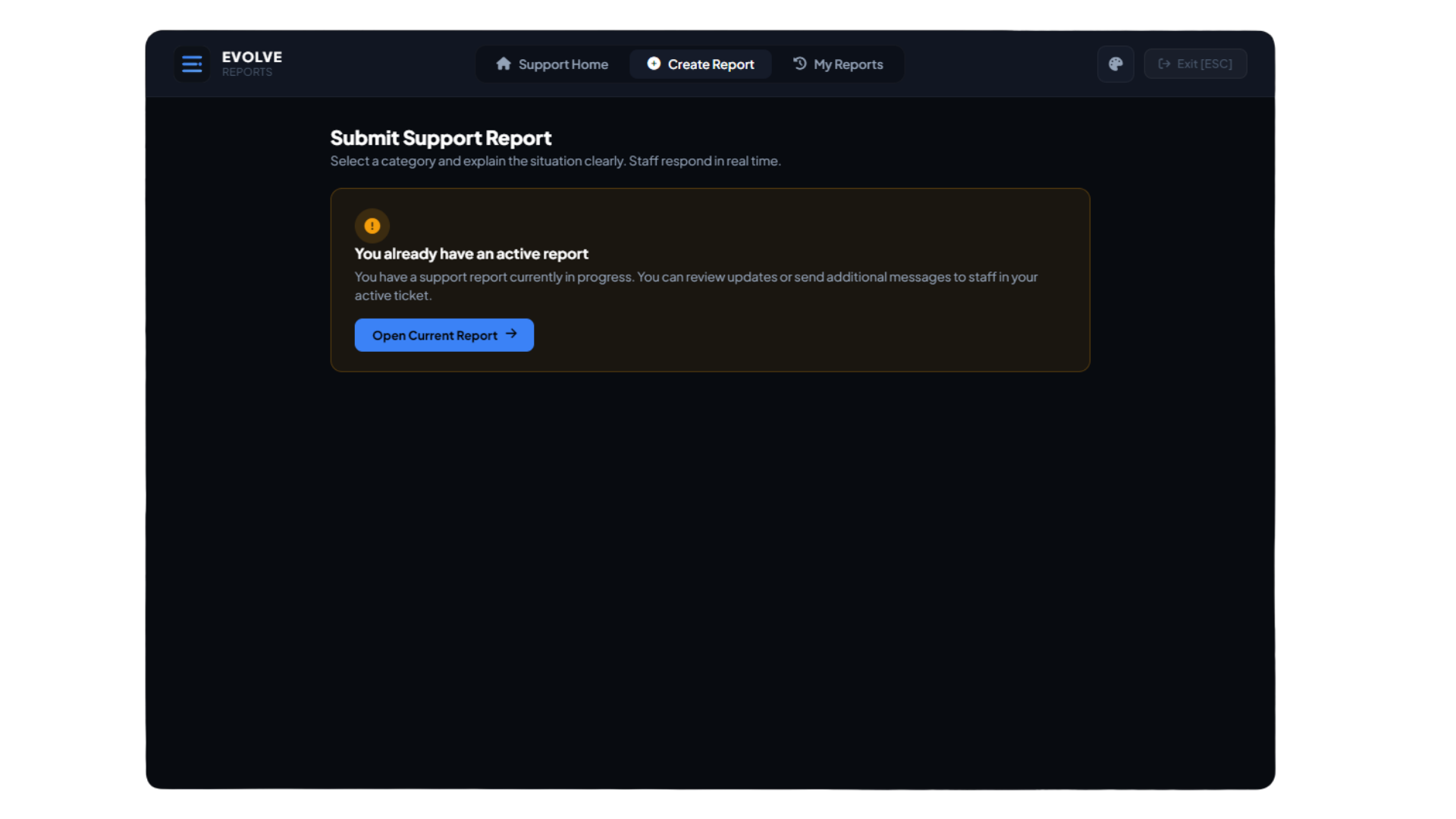
The interface allows players to submit detailed reports using configurable categories and priorities.
Report Categories
Categories can be fully customized, including examples such as:
- Rules
- Harassment
- Bugs
- Store Support
- Vehicle Issues
- Player Issues
- Urgent Admin Assistance
Priority Levels
Reports can be submitted with configurable priority levels such as:
- Low
- Normal
- High
📡 Automatic Player Information
Useful player information can automatically be attached when a report is created.
This can include:
- Server ID
- Player coordinates
- Player ping
- Current vehicle information
- Relevant server-side player data
This gives staff additional context before they even respond.
💬 Real-Time Ticket Chat
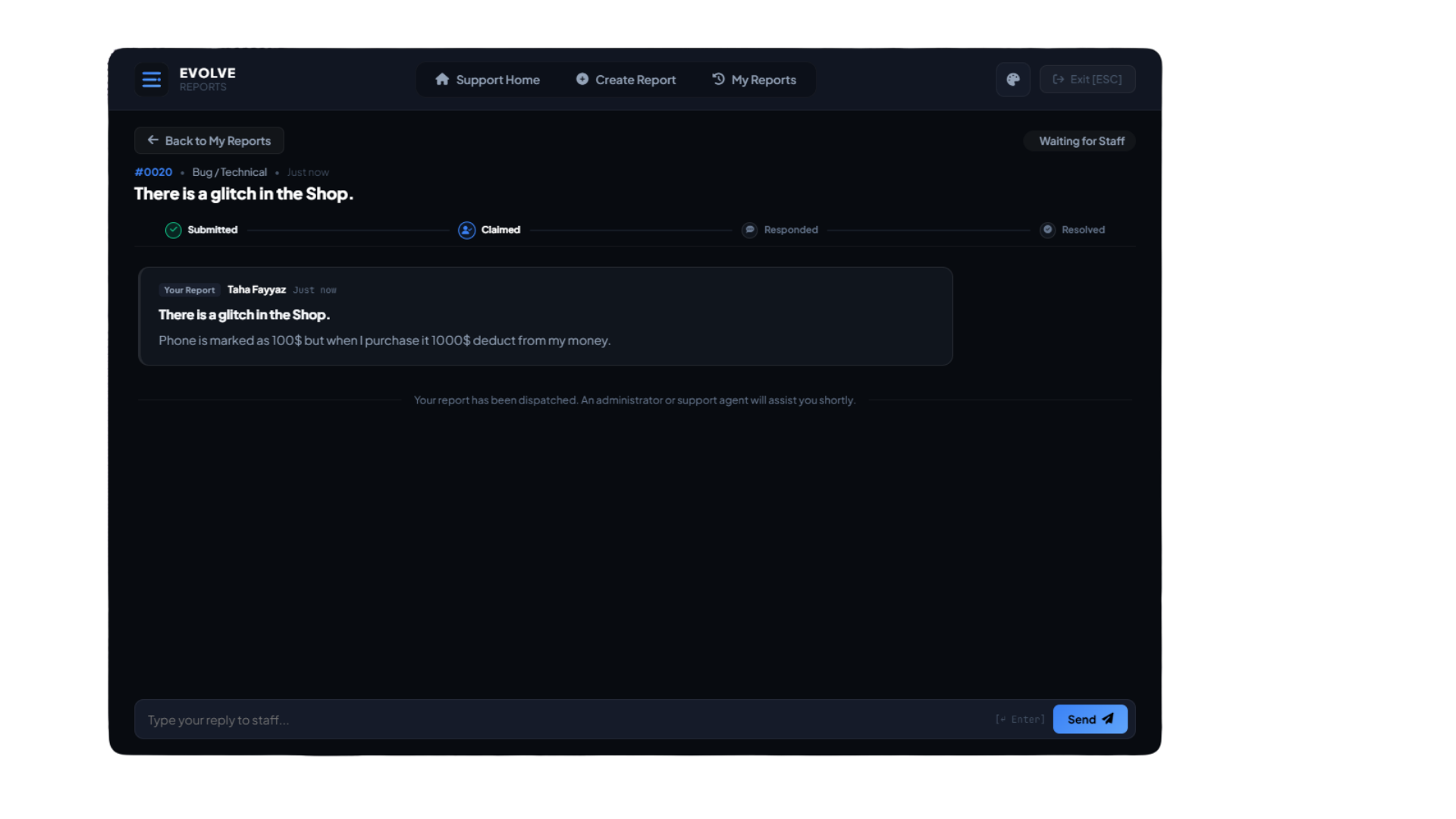
EVOLVE Reports includes a built-in live communication system between players and staff.
Players and staff can communicate directly inside each ticket without relying on external commands or Discord.
Chat Features
- Live player-to-staff messages
- Instant staff replies
- Audio notifications
- Complete message history
- Staff-only internal notes
- Ticket conversation history
This turns reports into a proper support-ticket workflow instead of a simple one-time notification.
📋 Ticket Progress System
Players can follow the current status of their report through a live progress system.
Submitted → Claimed → Responded → Resolved
This helps players understand what is happening with their report without repeatedly contacting staff.
🛡️ Staff Moderation Dashboard
Staff members can access the moderation dashboard using:
/reports
The dashboard gives staff a centralized place to manage active reports and perform moderation actions.
Ticket Management
Staff can:
- Claim reports
- Unclaim reports
- Transfer reports
- View active tickets
- View resolved tickets
- View report details
- View player information
- Reply to players
- Add internal notes
- Use quick responses
- Resolve reports
- Review ticket history
🔒 Smart Claim System
EVOLVE Reports includes a claim system designed to prevent multiple staff members from accidentally handling the same report.
Once a report is claimed, it can be locked to the assigned staff member.
Staff can also:
- Unclaim tickets
- Transfer tickets
- Reassign reports
- Track who handled each case
This helps keep staff workflows organized on larger servers.
⚡ Integrated Staff Actions
Staff members can perform common moderation actions directly from the report dashboard.
👁️ Spectate
Quickly spectate the reporting player during investigations.
Spectate mode can display useful player information while allowing staff to monitor the situation directly.
📍 Teleport & Bring
Staff can:
- Teleport to player
- Bring player
- Return staff member to original position
- Return player to original position
Original locations can be stored automatically, making moderation actions easier to reverse.
❄️ Freeze / Unfreeze
Temporarily freeze players while investigating a report or handling an active situation.
❤️ Heal & Armor
Quick staff actions can restore:
- Player health
- Player armor
🚫 Kick Player
Staff can remove players directly through the moderation interface.
Custom kick reasons can be entered before the player is removed from the server.
📝 Private Staff Notes
Staff can leave confidential notes inside reports.
These notes are:
- Visible only to authorized staff
- Hidden from players
- Stored alongside ticket history
- Useful for investigations and internal communication
⚡ Quick Responses
Frequently used staff responses can be configured and sent instantly.
Examples can include:
- "We're reviewing your report."
- "Please provide additional information."
- "A staff member is currently investigating."
- "Thank you for your report."
Quick responses are fully configurable.
⭐ Player Satisfaction System
After a report has been resolved, players can leave feedback about their support experience.
Players can submit:
- ⭐ 1–5 star rating
- Written feedback
- Satisfaction comments
Each ticket can be limited to one review to prevent duplicate ratings.
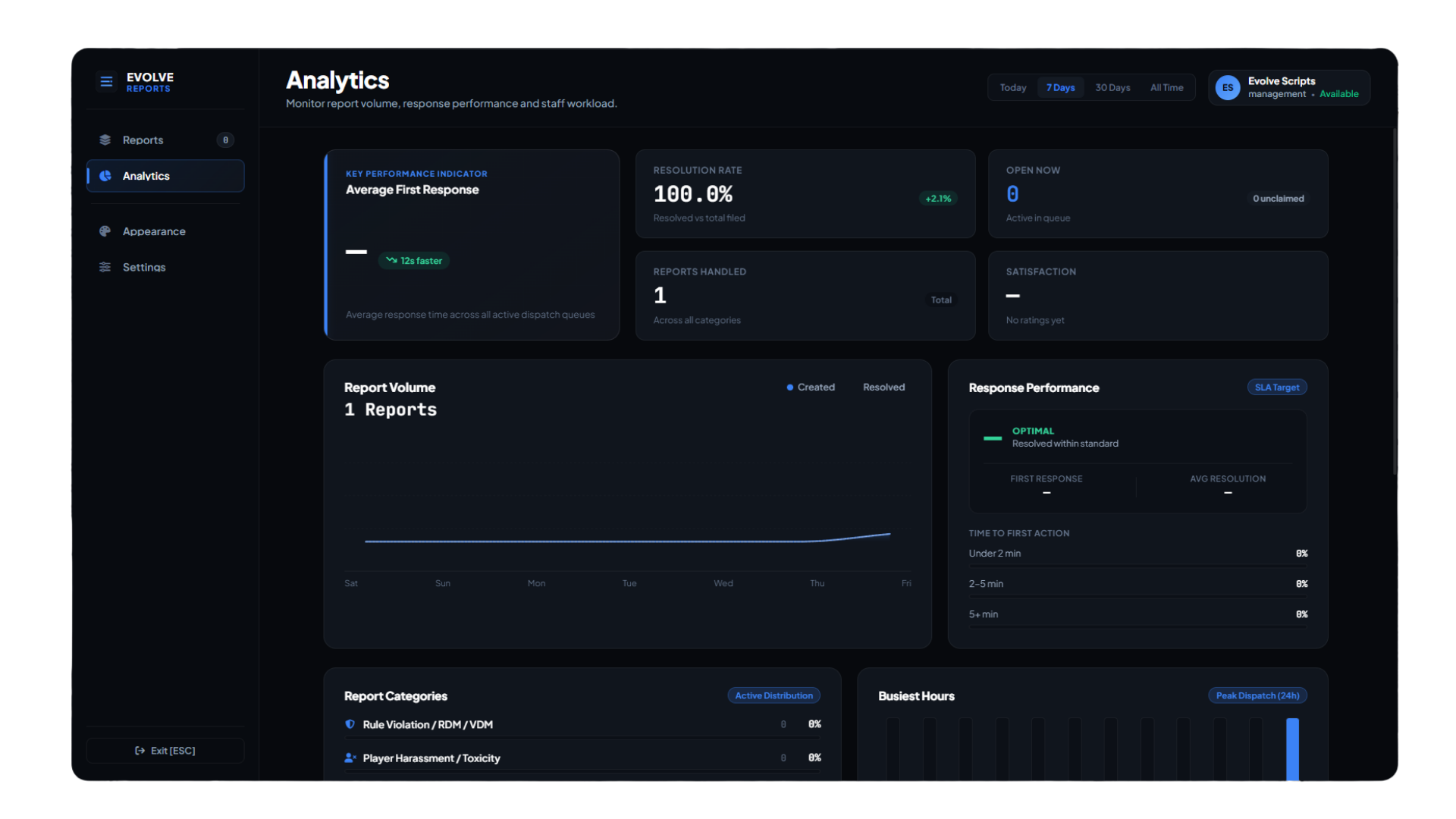
📊 Staff Analytics
EVOLVE Reports includes built-in analytics to help server management understand support activity.
Statistics can include:
- Open reports
- Claimed reports
- Resolved reports
- Average response time
- Average resolution time
- Staff ticket activity
- Player satisfaction ratings
- Recent reviews
🏆 Staff Leaderboard
Track staff activity through the built-in leaderboard.
Leaderboard statistics can include:
- Tickets handled
- Tickets resolved
- Player ratings
- Satisfaction scores
- Moderation activity
This gives management additional visibility into staff support performance.
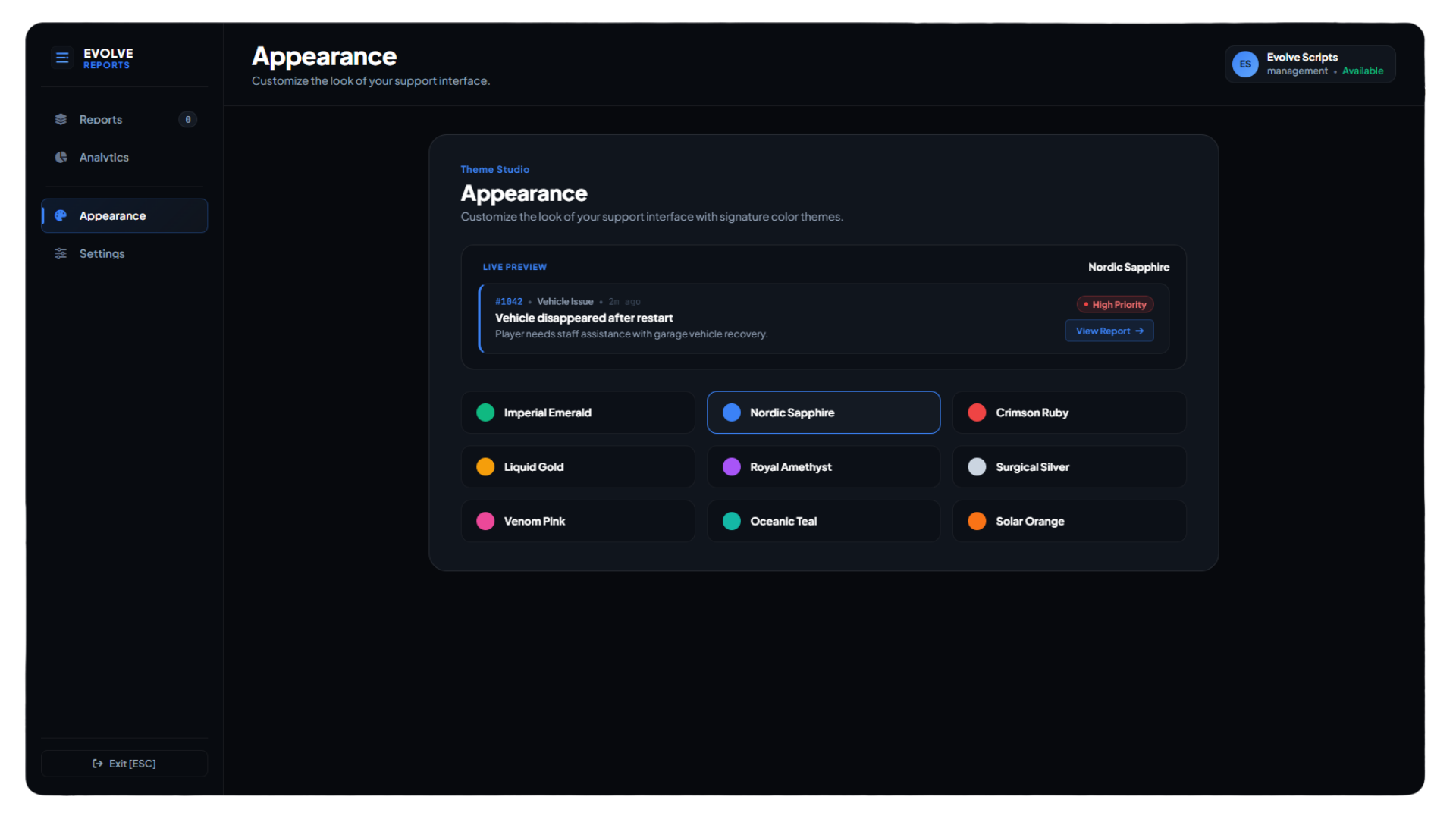
🎨 9 Built-In Themes
Players and staff can switch between multiple interface styles.
Included themes:
- 🟢 Imperial Emerald
- 🔵 Nordic Sapphire
- 🔴 Crimson Ruby
- 🟡 Liquid Gold
- 🟣 Royal Amethyst
- ⚪ Surgical Silver
- 🌸 Venom Pink
- 🌊 Oceanic Teal
- 🟠 Solar Orange
Themes can be switched without modifying the resource.
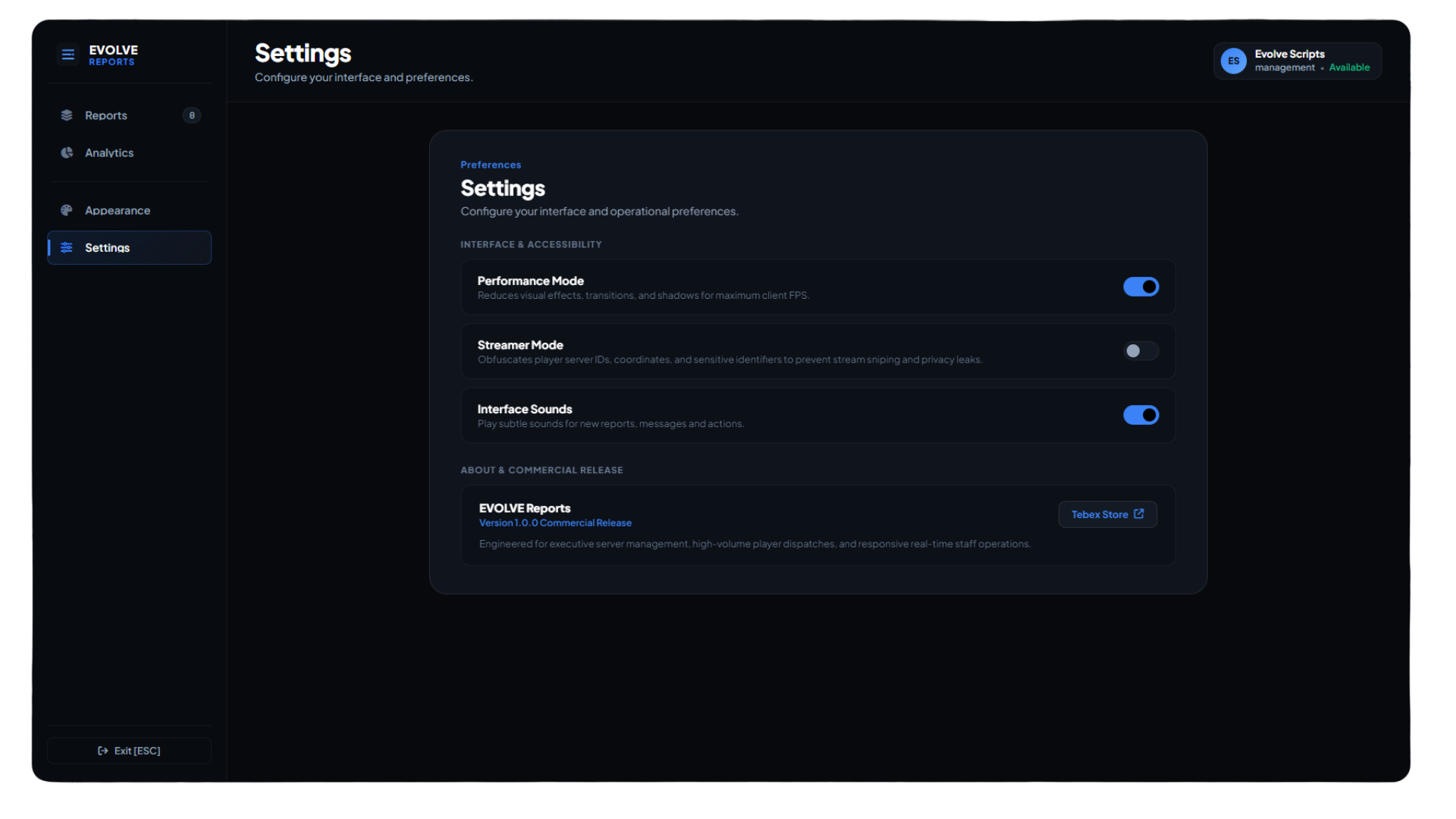
🎥 Streamer Mode
Streamer Mode helps prevent sensitive information from appearing while streaming or recording.
Depending on configuration, Streamer Mode can hide information such as:
- Player IDs
- Coordinates
- Sensitive notifications
- Player-related information
- Moderation details
Useful for staff members and content creators who regularly stream gameplay.
🖥️ Performance Mode
Performance Mode reduces unnecessary visual effects for players using lower-end hardware.
It can reduce or disable effects such as:
- Background blur
- Heavy glow effects
- Expensive shadows
- Additional visual effects
This allows players to keep the interface responsive while maintaining the core functionality.
🌐 Discord Webhook Logging
EVOLVE Reports includes detailed Discord webhook logging for important ticket and moderation activity.
Logs can include:
- Report creation
- Priority changes
- Ticket claims
- Ticket unclaims
- Ticket transfers
- Staff actions
- Player messages
- Staff messages
- Internal notes
- Ticket resolution
- Resolution reasons
- Player ratings
- Player feedback
- Unauthorized access attempts
- Security-related events
Webhook channels and settings can be customized through configuration.
🌍 Multi-Language Support
Included translations:
- 🇬🇧 English
- 🇩🇪 German
- 🇫🇷 French
- 🇪🇸 Spanish
Additional languages can easily be added through the translation files.
🔧 Framework Compatibility
EVOLVE Reports is designed to support:
- ESX
- QBCore
- Qbox
- Standalone
Framework integration can be detected or configured depending on your server setup.
🔐 Staff Permissions
Staff access can be controlled through configurable permission systems.
Supported options can include:
- ACE permissions
- ESX groups
- QBCore permissions
- Qbox permissions
- Custom permission logic
This allows server owners to control exactly who can access staff functionality.
⚙️ Configuration
Almost every major part of EVOLVE Reports can be customized through config.lua.
Configure options such as:
- Server branding
- Logo
- Report categories
- Priority levels
- Commands
- Keybinds
- Staff permissions
- Framework groups
- ACE permissions
- Cooldowns
- Quick responses
- Discord webhooks
- Languages
- UI settings
- Themes
- Performance settings
- Streamer Mode
- Staff actions
- Ticket behavior
⌨️ Commands
Player Report Portal
/report
Staff Dashboard
/reports
Staff Keybind
F7
The default keybind can be changed through configuration.
📦 What's Included?
- Complete EVOLVE Reports resource
- SQL database schema
- Configuration files
- Translation files
- Documentation
- Developer exports / integrations
- Discord logging support
- Future resource updates
💎 Why EVOLVE Reports?
EVOLVE Reports is designed to replace basic report commands with a complete support and moderation workflow.
Instead of staff switching between multiple commands and systems, reports can be handled from one centralized interface.
Players receive a clearer support experience.
Staff receive faster moderation tools.
Server management receives better visibility through analytics, reviews, and logging.
⚡ Support Players. Empower Staff. Keep Everything Organized.
EVOLVE Reports — Advanced FiveM Report & Staff Moderation System
Instant
Ready to use
Secure
Escrowed
Updates
Lifetime access